

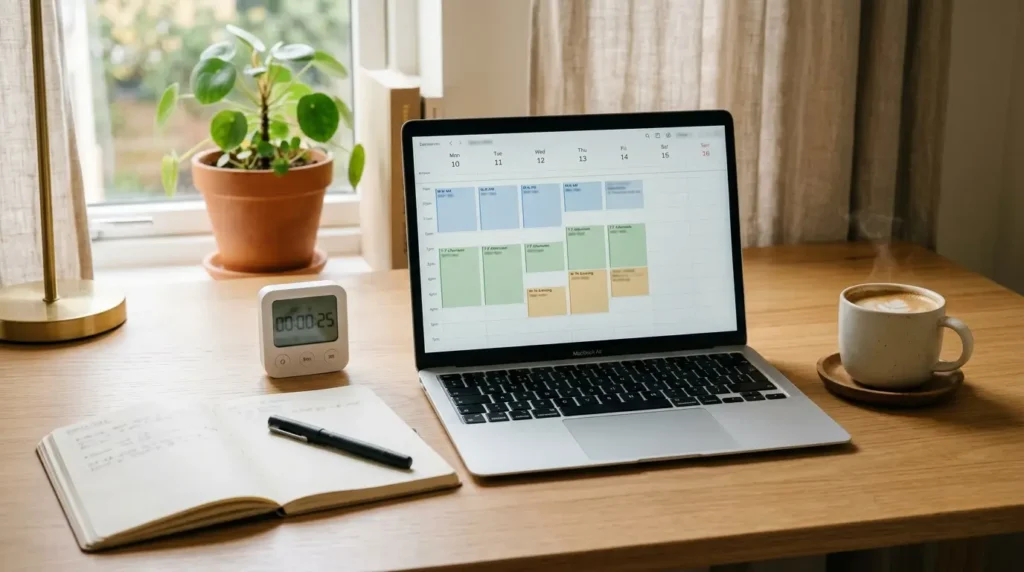
If you are wondering how to build a productivity system that actually works, the answer starts with fewer tools, not more. Productivity is increasingly linked to digital tools. You’ve got your task management apps, your digital calendars, your focus timers, your distraction blockers, etc. There are a million ways in which you can structure your working day. The mere fact of having access to all of these tools doesn’t necessarily make you any more productive.
Switching between platforms, checking your notifications, and constantly reorganizing your to-do list can all be sources of distraction. A good productivity system should make it easier to get on with your work.
The best approach is to mix a small number of tools for different purposes. A task manager to help with organizing your responsibilities, a calendar to protect time for the important work, and a focus timer to structure your individual sessions.
The aim isn’t to come up with one perfect application. It’s to build a practical system that will help you work out what you need to do, when you need to do it, and how you can stay focused long enough to actually get it done.
Why To-Do Lists Alone Are Not Enough
A to-do list is a useful starting point; it doesn’t in itself constitute a complete productivity system.
Imagine starting Monday with 15 things on your list. You know what you need to do; you just haven’t got a clear idea of which of them are the most important, how long they’re going to take, or when you’re going to work on them. As more requests come in, the list just gets longer, and the priorities get more and more blurred.
This is where many people encounter a common productivity problem: confusing task organization with actual progress.
A task manager helps you collect and organize responsibilities, but it does not automatically allocate time for completing them. Without a plan, people can repeatedly postpone important tasks in favor of smaller, more immediate activities.
Research by Peter Gollwitzer and Paschal Sheeran on implementation intentions points out the importance of translating goals into specific actions. Their 2006 meta-analysis examined 94 independent tests and found that forming concrete plans about when, where, and how to act positively affected goal achievement.
This offers a useful principle for digital productivity: don’t just write down what you want to accomplish. Decide when and how you will approach it.
Understand What Different Productivity Tools Actually Do
One of the biggest mistakes when building a productivity system is expecting one application to do everything.
Different tools solve different problems. Understanding their pros and cons makes it easier to choose the right combination.
| Tool Type | Best Used For | Main Limitation |
|---|---|---|
| Task management apps | Organizing projects, deadlines, and responsibilities | Do not guarantee that time is allocated to tasks |
| Digital calendars | Scheduling meetings and protecting work periods | Can become unrealistic when every minute is scheduled |
| Focus timers | Structuring concentrated work sessions and breaks | Do not decide which task deserves attention |
| Website and app blockers | Limiting access to distracting platforms | Can restrict useful websites or communication |
| Note-taking apps | Capturing ideas, information, and meeting notes | Can become another place to organize rather than act |
For example, a task management platform is useful when you are handling several projects with different deadlines. A digital calendar is more suitable for planning when those tasks will actually happen.
A focus timer serves another purpose. It provides a visible structure for working on one task without constantly checking the clock.
These tools can complement one another, but they do not need to be connected through complicated integrations. The most useful setup is often the simplest one that reliably supports your daily work.
Use Time Blocking to Turn Priorities Into Action
Time blocking is a planning method in which you assign specific periods of your calendar to particular activities.
Instead of keeping a task list and deciding what to work on next throughout the day, you reserve time for important responsibilities in advance.
For example, a working day could include a morning focus block for a demanding project, an administrative period for emails and routine tasks, and an afternoon block for meetings or collaboration.
The advantage is that your priorities become visible in your schedule. You can also find potential problems before they occur, such as planning more work than your available time allows.
A digital calendar is pretty much the most straightforward way of doing it. You can have recurring blocks, you can move things around as required, and you can easily separate out meetings, focused work, and personal time.
However, time blocking has its limitations.
A calendar stuffed from morning to evening can very quickly become unworkable. A sudden request, a longer meeting, a task that requires your attention can all throw the whole thing out of kilter.
To avoid this, leave space between activities and treat your calendar as a flexible planning tool rather than a minute-by-minute performance target.

It also helps to schedule tasks according to their demands. Work demanding detailed thinking may suit a time when you are less likely to be interrupted, while routine administration can often be done in shorter blocks.
Combine Focus Timers With Deep Work Sessions
Once you have decided what to work on and when, the next challenge is maintaining concentration.
Focus timers can help. The popular Pomodoro Technique, for example, uses focused work intervals followed by short breaks. A traditional structure consists of 25 minutes of work followed by a five-minute break.
However, fixed intervals aren’t for everyone.
Some people will prefer a shorter session for the kind of work they’re doing (e.g. a routine task), others will find a longer session more useful for writing, analysis, or the like.
Rather than go in with one length of session, experiment with different lengths. Start with 25 or 30 minutes and then adjust the length of the session according to the task and your ability to concentrate.
A simple digital timer is often sufficient. More advanced focus applications may offer session tracking, customized intervals, reminders, or progress statistics.
The important distinction is that a timer supports execution; it does not replace planning. Starting a 50-minute session without knowing what you intend to accomplish is unlikely to solve an underlying prioritization problem.
Before starting, define a specific outcome. For example, instead of setting the goal of working on a presentation, decide to complete the first five slides.
This makes it easier to evaluate whether the session was useful.
If you’re looking for additional ways to support focused work, Best Focus Music offers focus music, productivity resources, and practical tools such as a Deep Work Session Timer.
Reduce Digital Distractions Without Blocking Everything
Digital interruptions have the potential to undermine even a carefully planned workday.
Email notifications, instant messages, social media, and application alerts compete for attention. Constantly switching between activities can make it more difficult to maintain a clear train of thought.
Research by Sophie Leroy (published in Organizational Behaviour and Human Decision Processes, 2009) looked at what she termed ‘attention residue’. Her work found that people can continue to think about an unfinished task even after having switched to a different one, and this can in turn impact their performance on the new task.
Another study by Gloria Mark, Daniela Gudith, and Ulrich Klocke, presented at the CHI conference in 2008, found that people sometimes compensated for interruptions by working faster. However, this was associated with increased stress, frustration, time pressure, and effort.
These data help explain why simply completing more tasks or responding to messages quickly does not necessarily create a better working experience.
Digital tools could help reduce unnecessary interruptions, but they should be configured carefully.
Proceed with a review of your notification settings. Turn off any alerts that you don’t need to respond to immediately and set times to check your email and messages.
Website blockers can also be helpful during demanding work sessions. Some let users block selected websites for a set period, while others offer scheduled restrictions.
However, it’s not always practical to block everything. People in roles that require monitoring customer messages or staying responsive to colleagues will obviously need access to certain platforms.
The better approach is to distinguish between essential and non-essential interruptions. Protect your attention without making collaboration unnecessarily difficult.
How to Build a Productivity System: A Simple 4-Step Workflow
The different tools become more useful when they work together in a repeatable process. A practical workflow has four stages.
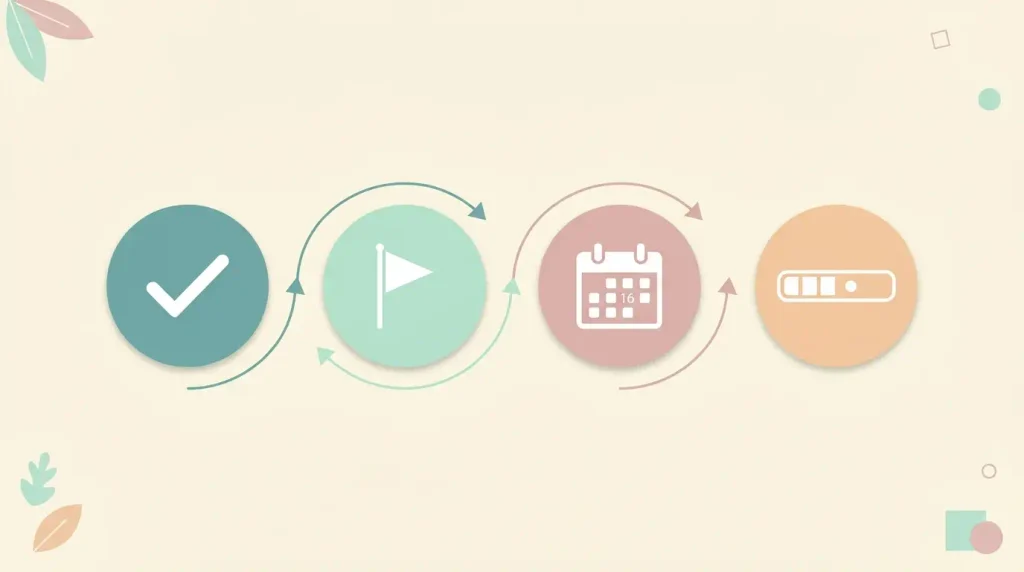
1. Capture and organize tasks
Use a single task management application to collate the responsibilities, deadlines, and project information. Don’t create separate to-do lists in various places, as it makes it very difficult to know which one is the current version.
2. Choose priorities
At the start of each day, work on the tasks that are most important. These are the tasks that you need to devote your full attention to. Consider the importance of the task, its deadline, and the amount of concentration it will require.
3. Schedule focused work
Transfer your key priorities into your digital calendar. Block out realistic periods for deep work and leave space for meetings, admin and the inevitable number of ad hoc requests.
4. Track progress
Use a focus timer during sessions if it helps you stay structured. At the end of the session, look at what you’ve actually done and adjust your priorities for the coming day.
This process doesn’t require any expensive software subscription at all. A basic calendar, a basic task management app, and a simple timer would be quite sufficient.
Common Productivity Tool Mistakes to Avoid
Even useful applications can become counterproductive when they are poorly implemented.
One common mistake is using too many tools. When tasks, notes, calendars, and reminders are spread across several platforms, handling the system can become a task in itself.
Another issue is the constant change of productivity methods. It may seem like you’re making progress if you’re trying a new app every week, but that can in fact stop you from developing the consistent habits with the tools you already have.
It’s just as easy to get so caught up in tracking activity rather than actually measuring outcomes. The number of sessions completed or the number of hours spent in an app doesn’t in any way guarantee that you’ve actually got the important work done.
Instead, evaluate your system using practical questions:
Are the key tasks being completed on time?
Do you have sufficient uninterrupted time to get on with demanding work? Are notifications causing you to be interrupted all the time?
Is your productivity system taking up too much of your time to maintain? Do your tools make your work easier, or do they add an extra step?
Review those questions regularly rather than just assuming the system will remain valid forever.
A productivity setup should be able to adapt when your responsibilities, projects, or working environment change
Build a System Around Your Work, Not Your Apps
A successful productivity system is not defined by the number of applications you use or how your digital setup looks.
It is defined by whether your tools help you organize responsibilities, protect time for important work, reduce unnecessary interruptions, and complete meaningful tasks.
Start with a task manager to organize what needs doing. Use a calendar to decide when to do it, and introduce a focus timer or distraction blocker when it solves a specific problem.
Most importantly, stop adding tools simply because they are popular. Test whether each application serves a clear purpose and remove anything that creates more maintenance than value.
Productivity shouldn’t become another project that consumes your workday. The best system works quietly in the background, letting you spend less time managing your tools and more time doing the work that matters.
Sources and Further Reading
Gollwitzer, P. M. & Sheeran, P. (2006): Implementation Intentions and Goal Achievement: A Meta-analysis of Effects and Processes. Advances in Experimental Social Psychology.
Leroy, S. (2009): Why is it so hard to do my work? The challenge of attention residue when switching between work tasks. Organizational Behavior and Human Decision Processes.
Mark, G., Gudith, D., & Klocke, U. (2008). The Cost of Interrupted Work: More Speed and Stress. Proceedings of the SIGCHI Conference on Human Factors in Computing Systems.
Frequently asked questions
What is the best way to build a productivity system?
Start with one task manager to collect responsibilities, use a digital calendar to decide when each priority will happen, and add a focus timer or distraction blocker only if it solves a specific problem. Simple setups tend to last longer than complicated ones.
Is a to-do list enough to stay productive?
Usually not. A to-do list organizes tasks but doesn’t schedule time for them, so important work gets postponed in favor of smaller, easier tasks. Pairing it with a calendar closes that gap.
How does time blocking work?
You assign specific periods in your calendar to specific activities, such as a morning focus block for a demanding project. Leave space between blocks so one unexpected request doesn’t derail the day.
How long should a focus session be?
The Pomodoro Technique uses 25 minutes of work followed by a 5-minute break, but it isn’t right for everyone. Try 25 to 30 minutes first, then adjust to the task and your concentration.
What is attention residue?
It’s a concept described by researcher Sophie Leroy. People can keep thinking about an unfinished task after switching to a new one, which can hurt performance on the new task.