Free Online Tools
NetQuill builds free, practical tools for everyday tech users — no account required, no subscription, and no hidden costs. Every tool on this page runs directly in your browser and is designed to give you fast, honest results without requiring technical knowledge or expensive software. We write about technology every day for readers across the US and around the world, and these tools come directly from the questions our readers ask most. Use them freely, share them, and check back regularly — we add new tools as we build them.
Free AI & Image Tools
Artificial intelligence is changing how images, text, and media are created — and that is making it harder than ever to know what is real. Our free AI and image tools help you check, analyse, and verify digital content quickly, without needing any technical background or specialist software.
AI Image Detector — Free, No Sign-Up Required
Wondering whether a photo was created by an AI tool like Midjourney, DALL-E, Stable Diffusion, or Adobe Firefly? NetQuill’s free AI image detector analyses any image for the visual patterns and statistical fingerprints that synthetic image generators leave behind — and gives you a probability result in seconds.
The tool does not give you a simple yes or no. It gives you an honest probability score — above 80% is a strong signal worth investigating further, below 30% suggests the image is more likely authentic. Scores in the middle are flagged as genuinely uncertain, because in 2026 that uncertainty is often the most accurate answer available. No tool on the market can guarantee a definitive verdict on every image, and we will not pretend otherwise.
What makes this tool useful for everyday situations:
→ Checking whether a profile picture on a dating app or LinkedIn is a real person or an AI-generated face → Verifying whether a news photograph or viral social media image is authentic before sharing it → Checking product images on online stores for signs of AI-generated imagery that may not match the actual item → Confirming whether images sent in messages or emails appear authentic or synthetically generated
No sign-up. No subscription. Supports JPG, PNG and WEBP. Results in under 10 seconds.
Want to understand how detection works and which methods are most reliable in 2026? Read our full guide:
How to Check If an Image Is AI-Generated
More Free Tools Coming to NetQuill
We are actively building more tools for tech users. Every tool we build solves a specific practical problem — the same kinds of problems our readers write to us about. Here is what is coming next:
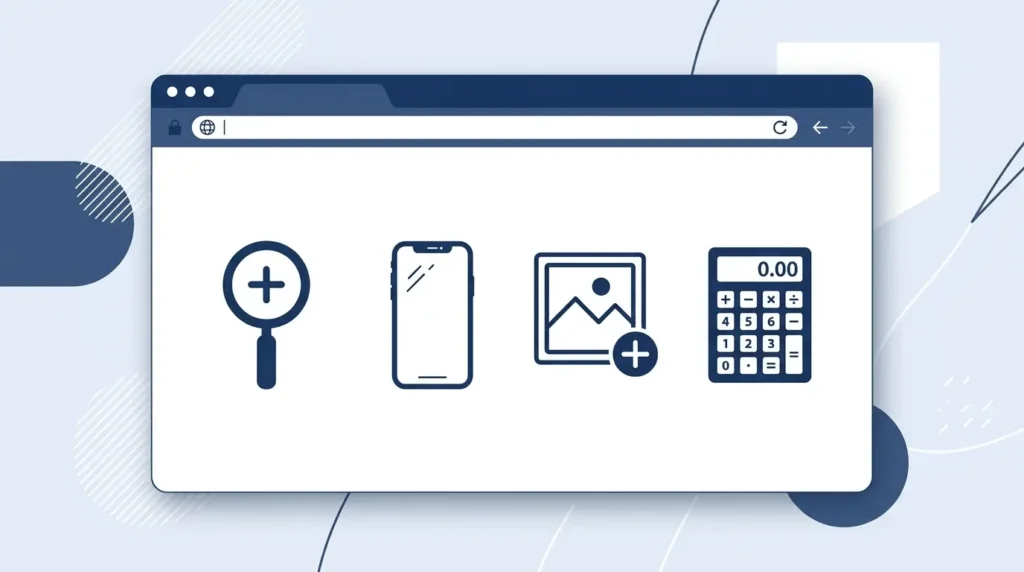
Use H3: Phone Price Comparison Tool
Search any smartphone model and instantly see the current retail price across Amazon, Best Buy, Walmart, Target, T-Mobile, Verizon, and AT&T — all on one page, side by side. Find the best deal without visiting six different websites. Includes carrier trade-in deals and unlocked pricing.
Use H3: AI Text Detector
Paste any piece of writing into the tool and check whether it shows characteristics associated with AI generation from tools like ChatGPT, Claude, or Gemini. Useful for educators checking student submissions, editors reviewing contributed content, and anyone who needs to verify the origin of a piece of writing before publishing or acting on it.
Use H3: Image Compression Tool
Reduce the file size of any image without visible quality loss — directly in your browser, with no file upload limits or watermarks. Useful for bloggers optimising images before publishing, developers managing page load speed, and anyone who needs to reduce an image size quickly before sending or uploading it.
Use H3: Smartphone Specs Lookup
Search any phone model — current or older — and get its complete technical specifications in a clean, readable format. Display size, processor, camera specs, battery, RAM, storage, connectivity, and US retail pricing. No clutter, no affiliate pop-ups, just the specs.
Use H3: Screen Resolution Calculator
Enter any screen’s dimensions and size in inches and get its pixel density in PPI, its aspect ratio, its display classification, and how it compares to common screen standards. Useful for developers, designers, and anyone buying a new monitor or TV.
Bookmark this page — new tools are added regularly alongside our tech news and guides.
Why NetQuill Builds Free Tools
Most useful online tools sit behind paywalls, sign-up walls, or usage limits that make them impractical for casual everyday use. We think that is wrong for tools that answer simple, legitimate questions — questions like whether an image was made by AI, or which US retailer has the cheapest price for a specific phone right now.
NetQuill is an independent technology publication. We cover AI, smartphones, computing, social media, and digital trends every day for readers across the United States and Europe. The tools we build come directly from the things we wish existed when writing our guides, and from the questions our readers send us that no quick web search can answer clearly.
Every tool on this page is built in-house, tested before launch, genuinely free to use, and designed to be honest about its own limitations. We do not inflate accuracy claims. We do not hide uncertainty behind confident-sounding verdicts. If a tool cannot give you a reliable answer in a specific situation, it tells you that — and explains what to do instead.
If there is a tool you would find useful that is not listed here, tell us. We read every message sent through our Contact Us page and we take tool requests seriously. Some of the tools above came directly from reader suggestions.
Frequently Asked Questions About NetQuill Tools
Are NetQuill’s tools completely free to use?
Yes — every tool on this page is free with no subscription, no sign-up, and no hidden cost. You do not need to create an account or provide any personal information to use them. The tools are funded by the same advertising that supports NetQuill’s news and guides.
Do NetQuill’s tools work on mobile devices?
Yes. Every tool is designed to work on desktop, tablet, and mobile browsers. No app download is required — open the tool in any modern browser on any device and it works immediately.
Does uploading files to NetQuill’s tools make them public?
No. Files uploaded to any NetQuill tool are processed solely to generate your result. They are not stored on our servers after processing, not shared with any third party, and not made visible to other users at any point.
How often are NetQuill’s tools updated?
We update existing tools when detection models, pricing data, or underlying technology improves significantly. New tools are added based on reader demand and our own editorial needs. Bookmark the Free Tools page to see what is new.
Can I suggest a tool for NetQuill to build?
Yes — and we genuinely welcome suggestions. Use the Contact Us page to describe the tool you have in mind and what problem it would solve. We review every suggestion and have built tools based on reader requests before.